
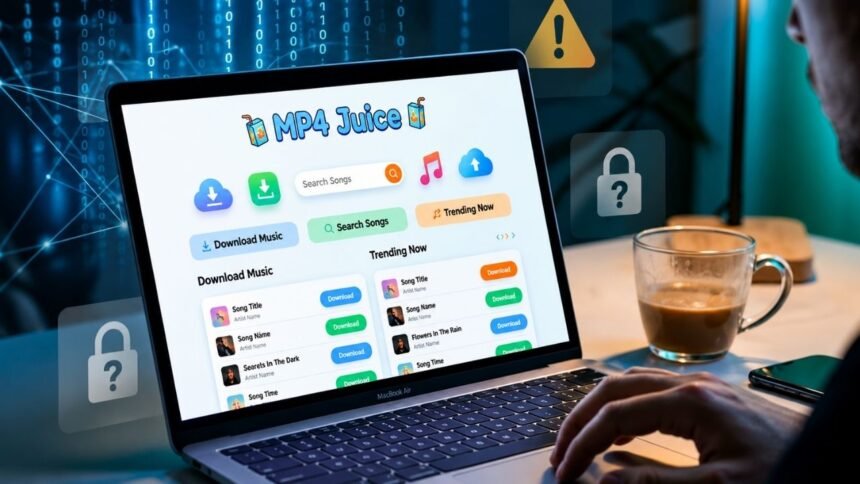
MP4 Juice is a free online tool that lets you download and convert videos (often from YouTube) into MP4 or MP3 files by pasting a link. It’s popular because it’s free and needs no software—but it comes with real risks, including pop-up ads, malware, and possible copyright violations. Safer, legal options like YouTube Premium and Spotify exist for long-term use.
People love free tools, and MP4 Juice is one of the most searched. If you’ve ever wanted to save a YouTube video for offline viewing or pull the audio from a music clip, you’ve probably come across it. The promise is simple: paste a link, pick a format, and download in seconds—no app, no payment.
But “free and easy” doesn’t always mean “safe.” Before you start downloading, it’s worth understanding how MP4 Juice actually works, where the hidden dangers are, and whether you’re crossing any legal lines. This guide breaks it all down in plain English, then points you toward better, legal alternatives.
What is MP4 Juice?
MP4 Juice is an online video downloader and converter. In simple terms, it’s a website that takes a video link, processes it, and returns a downloadable file in either MP4 (video) or MP3 (audio) format.
You don’t install anything. Everything happens in your browser. That’s a big part of its appeal—you can use it on a laptop, phone, or tablet without taking up storage space or going through an app store.
Most people use MP4 Juice to grab content from platforms like YouTube. Some versions of the site also include a built-in search bar, so you can look up a song or video directly instead of pasting a link.
MP4 Juice vs Legal Alternatives (Comparison Table)
| Feature / Tool | MP4Juice | YouTube Premium | Spotify / Apple Music |
|---|---|---|---|
| Type | Unofficial online downloader | Official YouTube service | Official music streaming apps |
| Safety | ❌ Risky (ads, malware risk) | ✅ Very safe | ✅ Very safe |
| Legality | ⚠️ Depends on content | ✅ Fully legal | ✅ Fully legal |
| Cost | Free | Paid subscription | Paid subscription |
| Offline downloads | Yes (unofficial) | Yes (official feature) | Yes |
| Ads | ❌ Many pop-ups/ads | ❌ No ads (Premium) | ❌ No ads (Premium) |
| Device support | Browser-based only | Mobile + desktop apps | Mobile + desktop apps |
| Reliability | ❌ Unstable | ✅ Very stable | ✅ Very stable |
How MP4 Juice Works
Using MP4 Juice is straightforward. Here’s the typical process:
Step 1: Open the website
Go to the MP4 Juice site in your browser. You’ll usually see a search bar or a box to paste a link.
Step 2: Paste the video URL
Copy the link of the video you want—say, a YouTube URL—and paste it into the box. If the site has a search feature, you can type the name of the song or video instead.
Step 3: Choose your format
Pick MP4 if you want the full video, or MP3 if you only want the audio. Some versions let you choose quality settings too.
Step 4: Download the file
Click the convert or download button. After a few seconds of processing, the file saves to your device.
The whole thing takes less than a minute when it runs smoothly. That simplicity is exactly why so many people keep coming back.
Key Features of MP4 Juice
Here’s what makes MP4 Juice stand out to everyday users:
- Completely free: There’s no subscription or one-time fee.
- No software installation: It runs entirely in your web browser.
- MP4 and MP3 conversion: You can save either video or audio files.
- Fast downloads: When the servers aren’t overloaded, conversions happen quickly.
- Cross-device use: It works on most phones, tablets, and computers.
These features sound great on paper. The catch is that the convenience comes bundled with some serious downsides.
Is MP4 Juice Safe to Use?
This is where caution matters. MP4 Juice is an unofficial, third-party platform, which means it doesn’t follow the same security standards as established companies. Here are the main risks:
Pop-up ads and malware. Free download sites often make money through aggressive advertising. Clicking the wrong button can trigger pop-ups, redirect you to sketchy pages, or attempt to install harmful software on your device.
Fake download buttons. Many of these sites place misleading buttons that say “Download” but actually lead to ads or malware. It’s easy to click the wrong one by mistake.
Data privacy concerns. Because the platform is unofficial, there’s little transparency about how it handles your data. You can’t be sure what information is being collected or where it goes.
No accountability. If something goes wrong—a virus, a stolen password—there’s no customer support or company to hold responsible.
To reduce risk, never download executable (.exe) files from these sites, use an ad blocker, and keep your antivirus software up to date. Even then, you’re taking a gamble.
Is MP4 Juice Legal?
The legality of MP4 Juice depends entirely on what you download and why.
Downloading content you own or that’s clearly free to share is generally fine. The problem starts with copyrighted material. Most YouTube videos, songs, and movies are protected by copyright, and downloading them without permission can violate copyright laws and the platform’s terms of service.
Here’s a simple way to think about it:
- Likely legal: Downloading royalty-free content, your own uploads, or videos that explicitly allow downloads.
- Likely illegal: Downloading copyrighted music, movies, or shows without the owner’s permission.
YouTube’s terms of service, for example, prohibit downloading videos unless YouTube itself provides a download button. Using a third-party tool to get around that breaks those rules.
The safest approach is to assume content is copyrighted unless it clearly states otherwise.
Why People Use MP4 Juice
Despite the risks, the appeal is easy to understand. People turn to MP4 Juice for a few common reasons:
- Offline viewing: Save videos to watch on a flight, commute, or anywhere without internet.
- Free music downloads: Build a music library without paying for a streaming service.
- No subscription needed: Avoid monthly fees from platforms like Spotify or YouTube Premium.
- Quick and simple: No account, no app, no learning curve.
For users on a tight budget, free access is the biggest draw. But cheaper isn’t always better when your device security and legal standing are on the line.
Best Legal Alternatives to MP4 Juice
If you want offline access without the risks, several legitimate options do the job safely:
- YouTube Premium: Lets you download videos directly within the YouTube app for offline viewing, plus ad-free playback. This is the cleanest way to save YouTube content legally.
- Spotify: Offers offline downloads of songs and podcasts on its Premium plan.
- Apple Music: Provides downloadable music for offline listening with a subscription.
- Built-in platform features: Many services—including Netflix and Disney+—have official “download” buttons for offline viewing within their apps.
These options cost money, but you get reliability, security, and peace of mind. You’re also supporting the creators whose work you enjoy.
Pros and Cons of MP4 Juice
Here’s a quick summary to help you decide.
Pros:
- Free to use
- Easy and fast
- No software installation required
- Supports both MP4 and MP3 formats
Cons:
- Security risks like malware and pop-ups
- Potential legal issues with copyrighted content
- Intrusive ads and fake download buttons
- No customer support or accountability
Final Thoughts on Using MP4 Juice
MP4 Juice is undeniably convenient. It’s free, it’s fast, and it doesn’t ask for much. For occasional, low-risk downloads of non-copyrighted content, some users find it useful.
That said, the trade-offs are real. The threat of malware, the lack of privacy, and the legal gray area around copyrighted content make it a risky habit for regular use. If you find yourself downloading often, paying for a legal service like YouTube Premium or Spotify is the smarter long-term move. You’ll protect your device, stay on the right side of the law, and support the people who create the content you love.
Convenience is nice. Peace of mind is better.
Frequently Asked Questions
Is MP4 Juice free to use?
Yes, MP4 Juice is free. There’s no subscription or payment required to download or convert videos. However, the site relies on ads to make money, which is where many of the safety risks come from.
Can MP4 Juice give my device a virus?
It can. Because MP4 Juice is an unofficial site filled with ads and fake download buttons, clicking the wrong link can expose your device to malware. Using an ad blocker and updated antivirus software lowers the risk, but doesn’t eliminate it.
Is it illegal to download YouTube videos with MP4 Juice?
It depends on the content. Downloading copyrighted videos without permission violates YouTube’s terms of service and copyright law. Downloading royalty-free or your own content is generally fine.
What’s the safest alternative to MP4 Juice?
YouTube Premium is the safest option for downloading YouTube videos legally. For music, Spotify and Apple Music both offer secure offline downloads with a subscription.
Do I need to install anything to use MP4 Juice?
No. MP4 Juice runs entirely in your web browser, so there’s no app or software to install. This is one of the main reasons people choose it over downloadable converter programs.